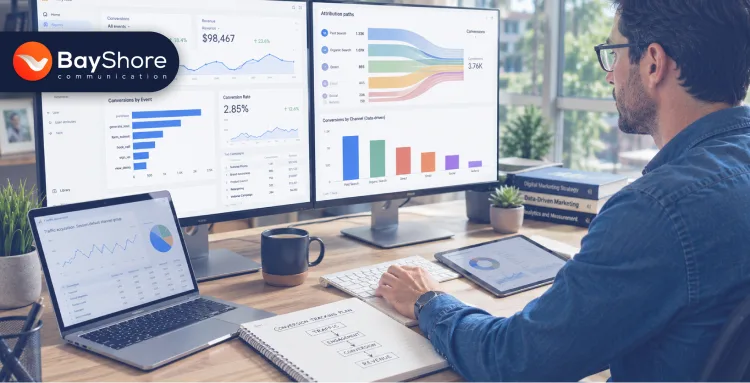
Conversion Tracking Basics
Conversion Tracking Basics: How to Measure What's Really Driving Revenue Online
If your site gets traffic but revenue feels random, this is the fix. Measure what's really driving revenue. You can do it by tracking the right actions, reading the data correctly, and using it to make better marketing decisions.
Attribution shows which touchpoints helped drive a conversion. UTMs tell you exactly where your traffic comes from. Enhanced measurement tracks common actions automatically, without extra coding.
Key Takeaways
- Conversion tracking connects your marketing work to real business outcomes, not just clicks or visits.
- GA4 uses event-based data, and Universal Analytics stopped processing new data on July 1, 2023.
- UTM parameters, event setup, and attribution models are the foundation of accurate reporting.
- Data-driven attribution helps you see how multiple touchpoints contribute to a conversion.
Conversion tracking shows you which marketing actions actually create revenue. It connects clicks, visits, and campaigns to outcomes like purchases, leads, calls, and sign-ups. That means you can stop chasing vanity metrics and start seeing what really moves the business forward. Google Analytics 4 is now built around event-based measurement, not the old session-first model.
What conversion tracking is and why it matters for revenue
Conversion tracking is the process of measuring valuable actions that happen after someone interacts with your marketing. Those actions can include purchases, form fills, booked calls, demo requests, downloads, or email sign-ups. Google describes these as key events or conversions, depending on the platform.
(I) What counts as a conversion?
A conversion is not just a sale. It is any action that pushes a visitor closer to revenue. For an e-commerce brand, that may be an order. For a service business, it may be a contact form or consultation booking. For a SaaS company, it may be a demo request or trial signup. The right conversion is the one that reflects real business value.
(II) Why does traffic alone not show business value?
Traffic tells you that people arrived. It does not tell you whether they mattered. That is the gap conversion tracking closes. Google's attribution guidance says people often interact with multiple ads before completing an important action, so one visit rarely tells the whole story. Without conversion data, you can easily overvalue the channel that brings attention and undervalue the channel that actually closes.
(III) Why did GA4 change the way marketers measure results?
Google Analytics is now event-based. It collects website and app data in one property, and it includes privacy controls such as cookieless measurement and key event modeling. Google also says Universal Analytics stopped processing new data on July 1, 2023. It means GA4 is the measurement baseline now. That shift matters because your setup needs to focus on events.
Forbes has recently reinforced the same point. That is, conversion tracking is about using performance data to understand whether campaigns are actually achieving business goals. That is a pretty big difference.
While World Bank research messaging repeatedly emphasizes turning evidence into practical decisions. That is the same idea here, just in marketing terms.
July 1, 2023
Date Universal Analytics stopped processing all new data
Event-Based
GA4's new measurement model, replacing the old session-first approach
What you should measure before you touch any tags
Before you install anything, decide what success looks like. Otherwise, you will track a pile of events and still not know what matters. Start with the outcomes that connect most closely to revenue, then layer in smaller intent signals that help you understand the funnel. Google recommends specific events for sales measurement, and enhanced measurement can capture common interactions without code changes.
What is the difference between macro and micro conversions?
Macro conversions are the big wins. Think purchase, booked call, submitted quote request, or qualified lead. Micro conversions are smaller signals that show interest, like watching a product video, visiting the pricing page, or downloading a guide. Tracking both gives you a cleaner picture of the journey. If micro conversions are strong but macro conversions are weak, the issue may be the offer, the follow-up, or the landing page, not the traffic source.
Which metrics matter most when you care about revenue?
You do not need twenty dashboards. You need a short list that connects effort to outcome.
How do you choose the first conversion to track?
Start with the action that best represents revenue for that business. If the business sells online, track purchases first. If it sells services, track qualified leads or consultation bookings. If it sells through sales teams, track demo requests and imported CRM outcomes.
Google's documentation supports this approach by recommending sales-related events and by showing how key events can be imported into Google Ads.
These ideas line up well with related Bayshore reads like Micro-Interactions: Tiny Design Details That Quietly Boost User Engagement.
Not Sure What to Track First?
Bayshore Communication helps Tampa businesses build conversion tracking that connects directly to revenue. Stop guessing. Start measuring what matters.
Talk to Our Growth Marketing TeamHow to set up tracking in GA4, Google Tag Manager, and UTMs
This is where the data gets clean or messy. Good setup means your reports can actually be trusted. Bad setup means you will spend weeks debating numbers that were broken from the start. Google's current documentation lays out the core stack: GA4 for measurement, Google Tag Manager for deployment, and UTMs for campaign source tracking.
(I) How does GA4 collect conversion data?
GA4 uses events. That is the heart of it. You can track automatically collected events, enable enhanced measurement for common actions, create custom events, and mark key events in the property. Google says enhanced measurement can be enabled from the interface with no code changes, which makes it a useful starting point for many teams.
(II) Why are UTMs still essential?
UTMs tell analytics tools where the click came from. Google says adding utm_source, utm_medium, utm_campaign, and related parameters lets you identify which campaigns refer traffic. That matters because without UTMs, source data gets muddy fast. If you want to know which email, ad, or social post created the lead, UTMs are the breadcrumb trail.
(III) How should you use Google Tag Manager without creating duplicate data?
Use GTM to fire conversion tags once, and test every trigger before publishing. Google's Tag Manager guidance for Ads conversions says you need a Google tag, a conversion action, the correct conversion ID and label, and a trigger that fires at the right moment. It also warns that transaction IDs help avoid duplicate conversions. That is a big deal. Duplicate data makes good campaigns look better than they are.
What is the cleanest setup order?
Start with the goal. Then map the event. Then add the tag. Then test it. Then confirm the data in GA4 and the ad platform. That sequence sounds basic, but it prevents a lot of broken reporting. Google's setup docs consistently point to the same flow: define the conversion action, configure the tag, preview it, and publish only after validation.
Also know the hidden cost of inconsistent branding across digital platforms.
Average Conversion Rate by Marketing Channel
2025-2026 industry benchmark. Source: cross-channel industry benchmark data compiled from GA4 properties and ad platform reports.
How attribution models show which channels really drive revenue
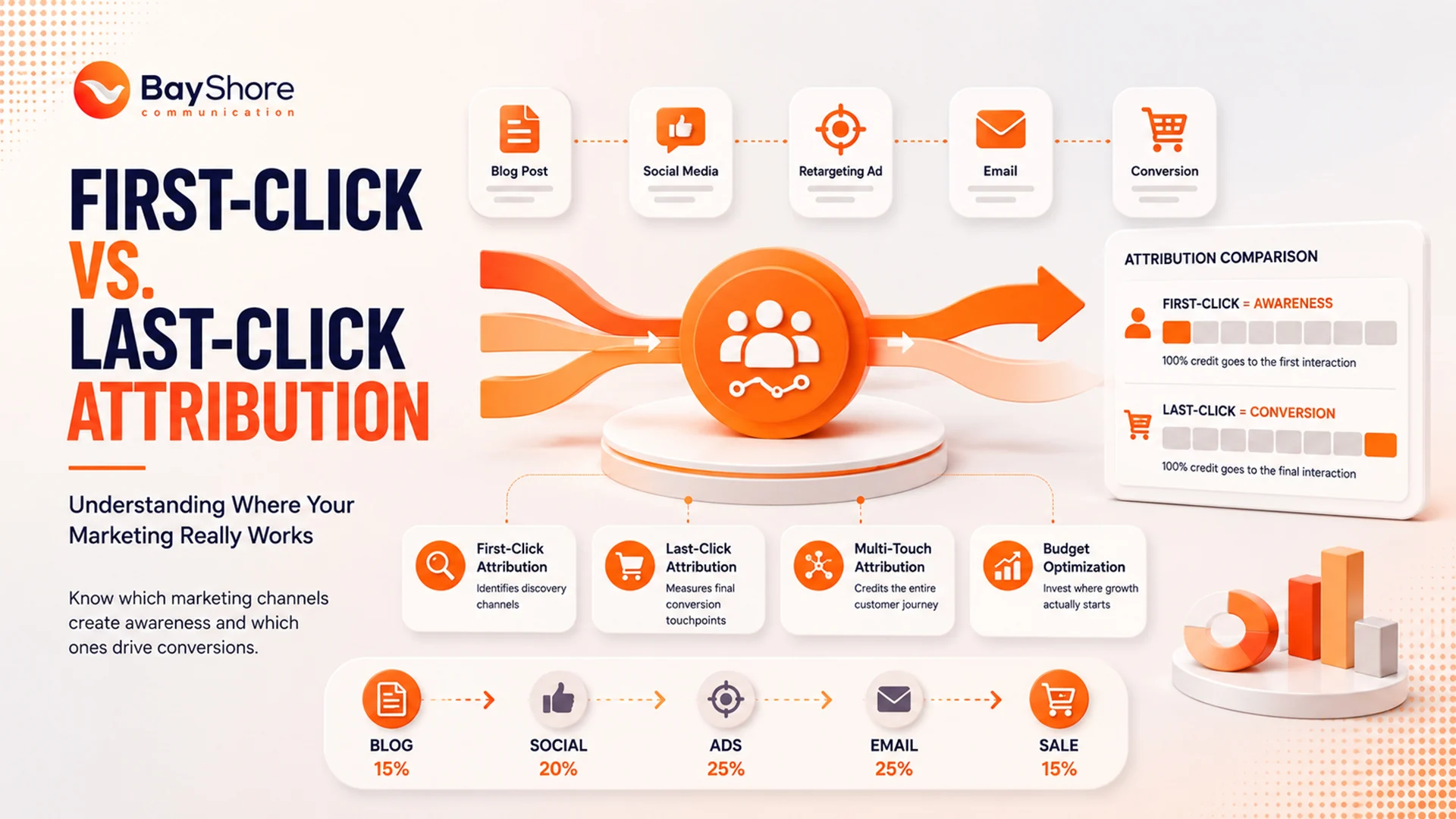
Attribution is where the story gets real. A customer may click an ad, read a blog, return through email, and convert from a branded search later. Which channel deserves credit? Google says attribution assigns credit for important user actions across the path to conversion, and that is why model choice matters.
Why does last-click attribution often mislead marketers?
Last-click attribution gives all credit to the final touchpoint. That makes reporting easy, but it hides the earlier work that created demand. Google warns that this approach ignores the other interactions that happened along the way. So if your blog or social content starts the journey, last-click may understate its value.
Which attribution model should a business use?
It depends on the sales cycle. Short, simple funnels may work with last-click. Longer journeys usually need data-driven attribution. Google Ads says data-driven attribution uses account data to determine each touchpoint's contribution, and it is the default for most conversion actions. Google also says it can improve understanding across the conversion journey.
How do multi-touch journeys change your budget decisions?
Once you see the full path, budget decisions get smarter. A channel that rarely closes may still introduce high-value leads. A channel that often closes may just be the final touch. Google Analytics' attribution reports and Google Ads' model comparison tools are designed to show that difference.
World Bank and Economist research on data-driven decision-making points in the same direction. Organizations do better when they use data for improving decisions, accountability, and outcomes. That is the part many teams miss. They optimize for the click that ends the story instead of the touches that wrote it.
What should advanced teams add next?
Advanced teams usually add CRM integration, offline conversion imports, and stricter governance around event naming and data quality. Google's guidance says you can import Analytics events into Google Ads after marking them as key events, and Tag Manager can pass transaction IDs to reduce duplication. That is how measurement becomes revenue reporting, not just web reporting.
72%
of marketers say multi-touch attribution changed how they allocate their budget
3.8x
Higher ROI reported by businesses using data-driven vs. last-click attribution
A simple workflow that keeps things useful
Start with one business goal. Then define the conversion that proves that goal happened. Next, map the user journey, install the tag or event, test it, and watch the report for a full cycle before making big decisions. Keep the tracking list lean at first. Add only what you will actually use. That is usually the cleanest way to avoid data clutter and reporting fatigue.
If something looks off, check the basics first. Is the tag firing? Is the thank-you page loading? Are duplicate events being counted? Did the Google Tag or Tag Manager setup change recently? Google's troubleshooting guidance is clear that verification and tag placement matter, and those simple checks solve a surprising number of problems.
Further Read: Content Decay Is Real: Why Old Blogs Stop Ranking and How to Fix Them
FAQ
Q What is conversion tracking in simple terms?
It is the process of measuring valuable actions like sales, leads, and sign-ups.
Q What is the best first conversion to track?
Track the action that most closely represents revenue for your business.
Q Do I need UTM parameters?
Yes. UTMs help identify which campaign or source brought the traffic.
Q Is GA4 enough for conversion tracking?
GA4 is the base layer, but many teams also use Google Tag Manager, ad platform tags, and CRM data for a fuller view.
Q Why does attribution matter so much?
Because customers usually interact with more than one channel before they convert. Attribution helps assign credit fairly.
How Bayshore Communication helps you turn conversion data into better decisions
Bayshore Communication's conversion tracking system should be used for more than just reporting. It should help you make smarter decisions about where to spend, what to scale, and what to fix next.
Our advanced teams bring conversion data into one connected view with CRM imports, offline conversion tracking, duplicate control, and regular audits. Bayshore supports growth marketing, CRM support, and data-driven digital strategy across channels, so this kind of tracking fits naturally into a broader growth system.
If you want help building a cleaner tracking setup for your business, Bayshore Communication is easy to reach. Talk to Bayshore Communication and turn your data into smarter growth decisions.
Ready to Turn Your Data Into Smarter Growth?
From GA4 setup to attribution reporting, Bayshore Communication builds tracking systems that drive real business decisions across Tampa and beyond.
Talk to Bayshore Communication